Standard License
$24.99
One-time purchase. No subscription.
- Unlimited file processing
- Full CSV, XLSX, and PDF export
- Commercial use rights
- 12 months of updates included
- License key delivered by email


A Windows desktop utility that counts pages across a mixed folder in one pass and exports a spreadsheet you can hand off. Local and private. No cloud upload. No subscription.
Windows page counting for mixed-document folders
$24.99 one-time · 7-day full-feature trial, starts on first scan · No account required.
Supported formats
Built for mixed real-world folders, not single-file PDF jobs. ZIP archives can be extracted locally for fuller counts before export.
What the operator sees
Drop or browse to any directory. FileTally walks the full tree and picks up every supported file type automatically.
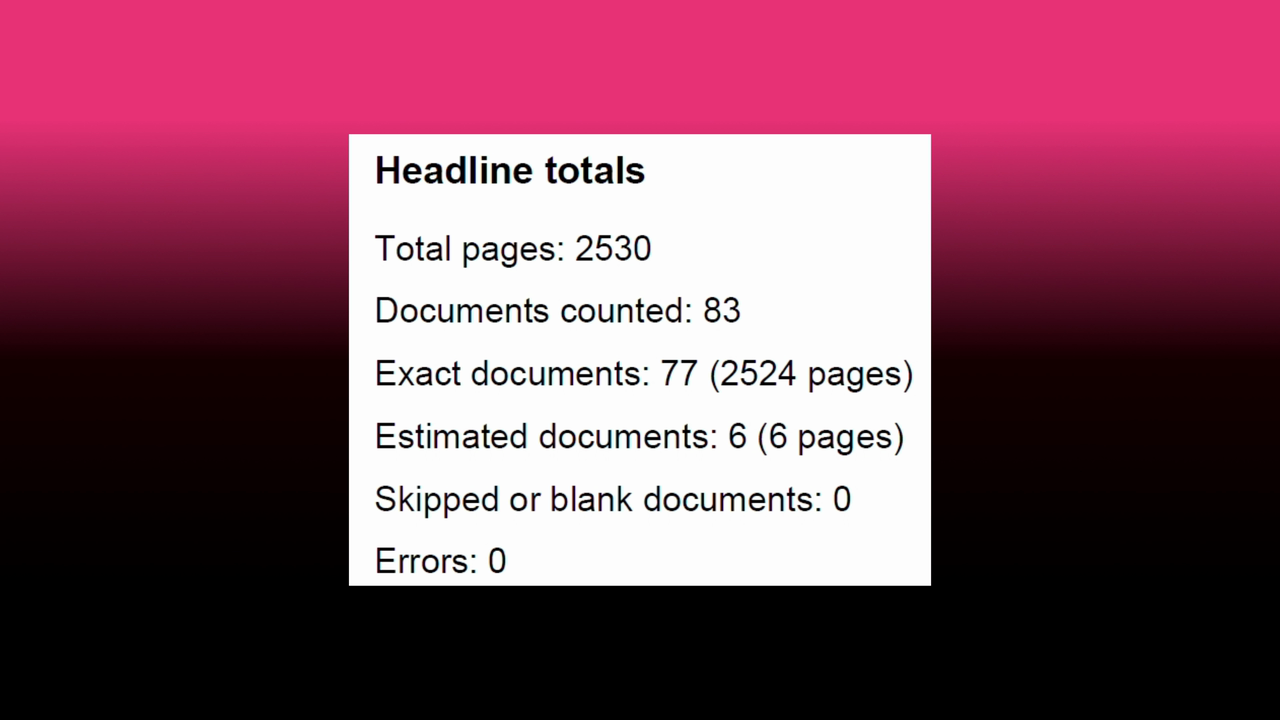
See the total with a confidence breakdown. Exact, estimated, and Action needed items are separated so you know what is solid before you hand it off.
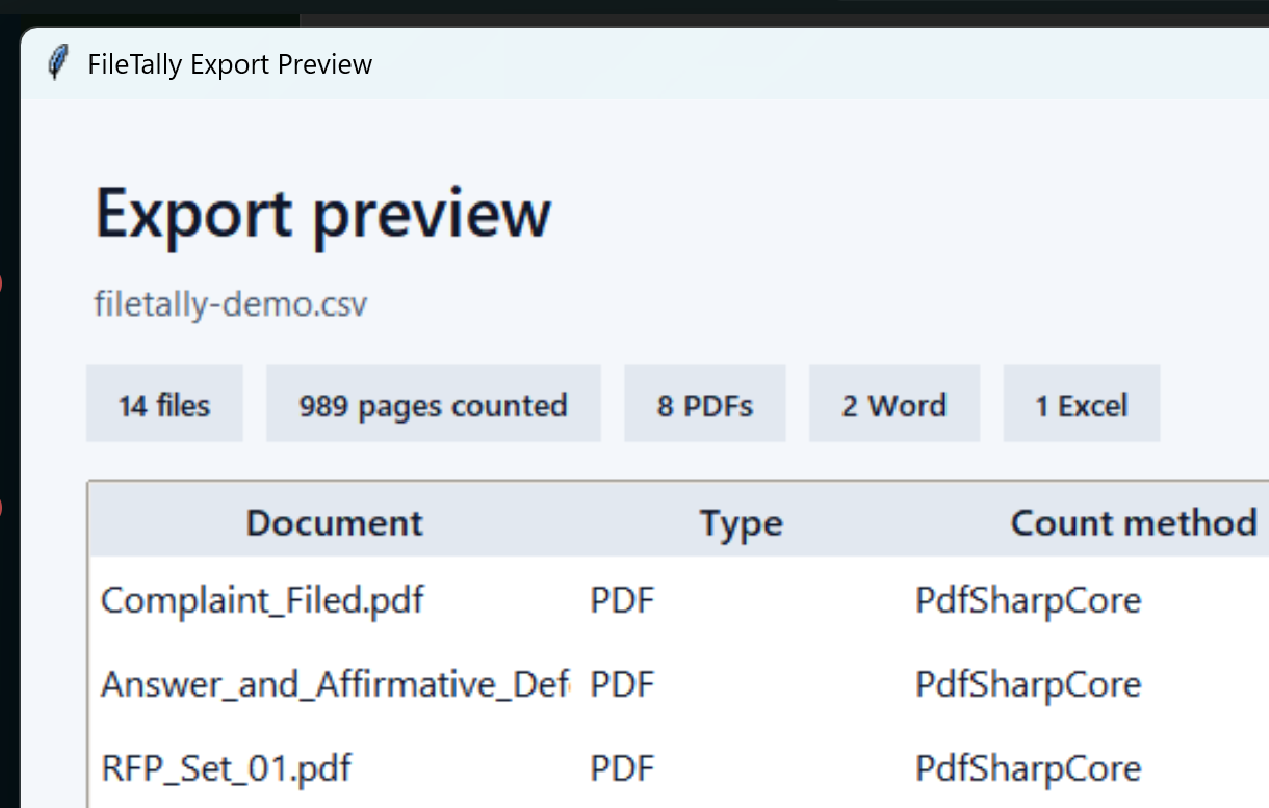
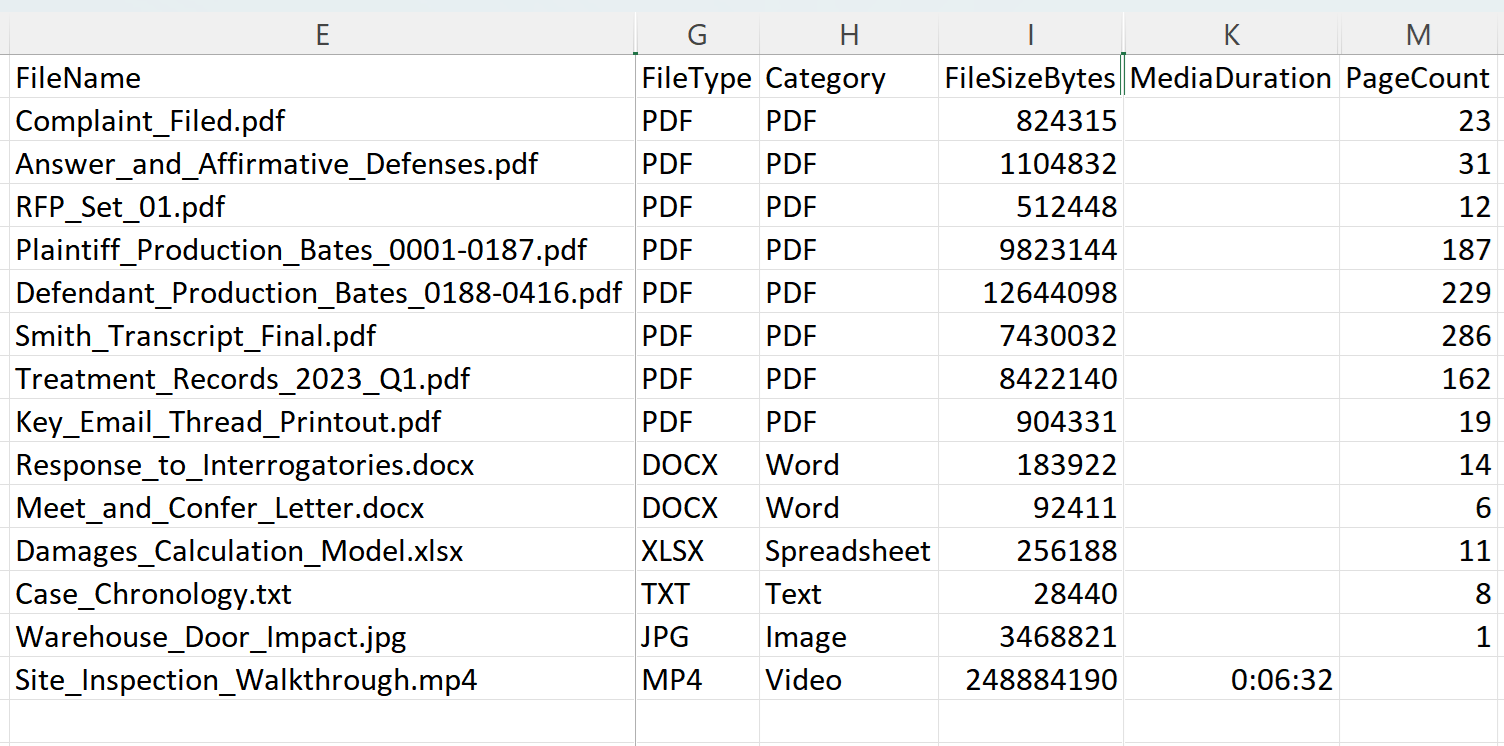
Get a printable PDF summary for the headline number, or a detailed CSV/XLSX with one row per file for deeper review.
Count results
FileTally shows the final page count with the confidence breakdown built in: exact counts, estimated counts, and any items needing attention — separated before anything leaves your hands.


Review before handoff
The review queue separates exact counts from estimates and errors. Filter by status, inspect any file, and decide what to include before committing to a total.
Real folders mix PDFs, Office files, images, emails, text, and ZIP bundles. FileTally handles that mix locally without forcing users to sort first.

Configure handling rules per extension. Skip what you do not need, flag what is unexpected, and control how each type is counted in a real mixed-folder workflow. See all features
A clean total when that is all someone needs, or a detailed file-level inventory when they need more.
Privacy
Confidential folders, client matter files, and privileged documents never leave your machine. No cloud service, no account, and no internet required to scan. The signed installer can be deployed on air-gapped machines.

Standard License
One-time purchase. No subscription.
Need 10+ licenses? Contact us for volume pricing.
Install and run an audit right now. Your 7-day evaluation starts on first use, not on install.